- YNU Library
- Search & Find
- How To Access E-Resources From Off-Campus: Remote Access
How To Access E-Resources From Off-Campus: Remote Access
This is a guide on how to access electronic resources (e-books, e-journals, databases, news, etc.) currently under contract or purchased at Yokohama National University from an off-campus.
Note: Only YNU students and faculty staff can use on-campus e-resources.
Index
- How to Search for E-Resources Accessible from Off-Campus
- How to Access from Off-Campus 1. GakuNin
- How to Access from Off-Campus 2. YNU VPN
- Linking Your Personal Account to the Institutional License
- Contact Information
How to Search for E-Resources Accessible from Off-Campus
E-journals / E-books
- Search for the book / journal title with the YNU OPAC, and check the publisher and provider name displayed in the "Online" column of the detailed search results. You cannot search by the article title.
- Find the name of the publisher or provider you identified above on the E-Resource List. If "GakuNin" or "VPN" is marked as "Possible" (〇), you can access from off-campus.
Note: Full-text e-journals are only available within the scope of your subscription. Therefore, even if you find the journal on the OPAC, you won't be able to use it if the publication year/volume of the article you need is out of our subscription.
Databases
In the E-resource List, resources marked as "〇" in the Remote Access column (GakuNin/VPN) and those listed as Free are available from off-campus.
How to Access from Off-Campus 1. GakuNin
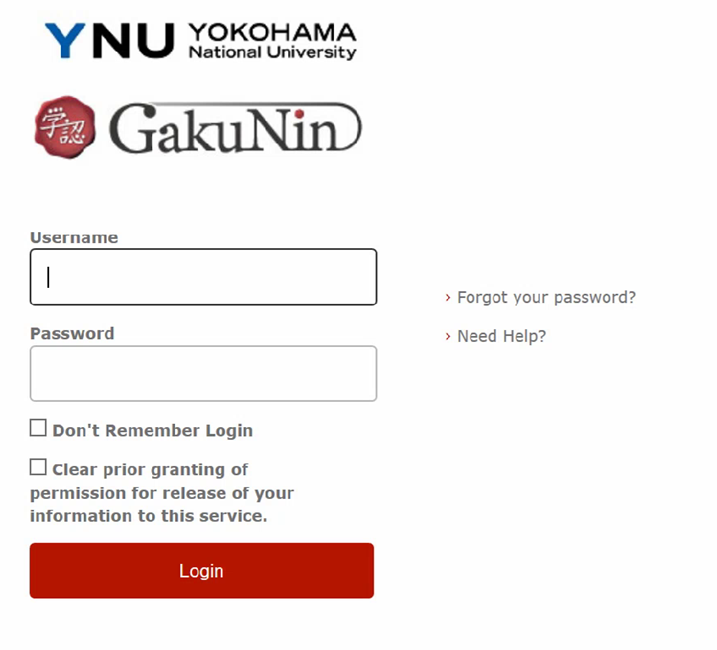
The procedure for connecting via GakuNin varies depending on the website you access. Please refer to each resource's guide on the "E-resource List" for details. Commonly, the GakuNin login screen, like the sample screen below, will open and log in with your YNU login ID and password (unified authentication account).
How to Access from Off-Campus 2.YNU VPN
E-resource List marked with a VPN "Available" or "〇" can be used by connecting via the "YNU VPN Service. However, VPN connections may be unstable for some electronic resources. VPN connections are prohibited for shared PCs (including loaned PCs). The maximum number of simultaneous connections is 500 for faculty and staff and 500 for students, with a maximum connection time of one hour per PC.
Linking Your Personal Account to the Institutional License
Some publishers and providers allow you to access contracted content off-campus for a certain period of time by creating a personal account and linking your institutional license to your personal account. The process by publisher or provider, so please check the instructions for the tool you want to use in the E-resource List.
Contact Information
If you have any questions, please contact the University Library Information Services Section by email (Contact Information).
*Important: Please be sure to send inquiries from your YNU email address. Due to university policy, we will not be able to contact you via email other than your YNU email.